Using Kali Linux on Cloud was a requirement by our internal Security team, to use Kali Linux VM and its inbuilt tools on one of their tenant. As a standard cloud practice we provided our customers with non gui based images of Ubuntu, CentOS, Oracle Linux. Security team had specificly requested for a GUI bootable Kali Linux image on our Openstack Cloud. The below approch was taken to provision Kali Linux image on cloud.
-
Download a Kali Linux ISO on cloud baremetal node from https://www.kali.org/downloads/
-
Create a temporary VM on a cloud baremetal node
Create a disk image for the VM
qemu-img create -f qcow2 /var/lib/libvirt/images/kalilinux.qcow2 20G Create a VM using the disk image
virt-install --name kalilinux --vcpus=1 --ram 2048 --disk path=/var/lib/libvirt/images/kalilinux.qcow2,bus=virtio,cache=writeback --boot network --graphics vnc,listen=0.0.0.0 --network bridge:br1012,model=virtio - Connecting to virt-manager on the cloud baremetal node
I use xming along with putty on my local machine, X11 forwarding is enabled in putty to forward to localhost:0
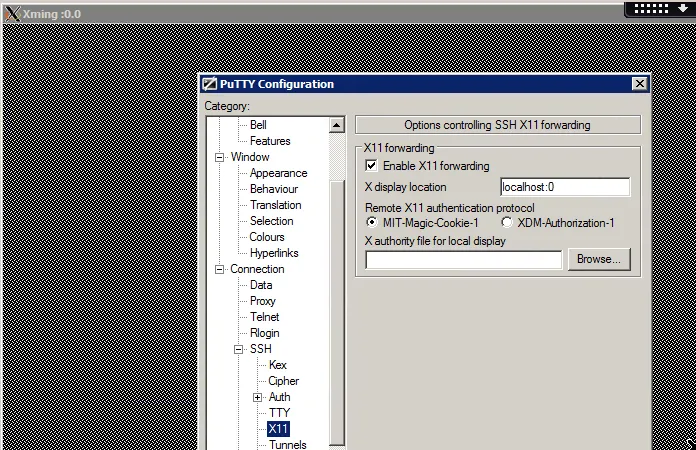
start xming on your local machine
login to the remote server using putty, set X11 forwarding to localhost:0
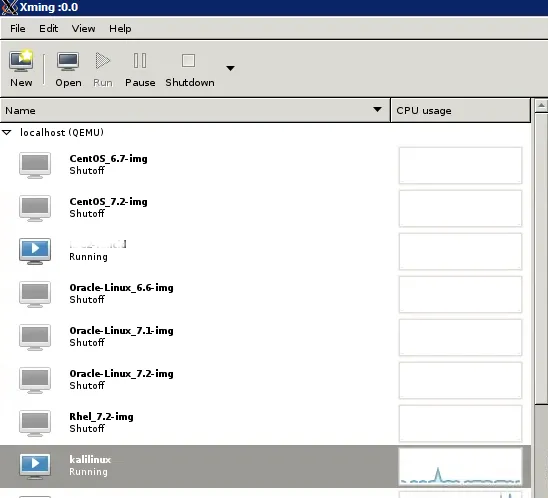
Start virt-manager on baremetal node in background.
virt-manager&
-
Attach a cdrom device to VM in virt-manager & mount the kalilinux.iso
-
Start the VM These steps can also be done using virsh command, but I prefer the virt-manager/GUI method from start as I need to enable GUI on the kali linux VM image being prepared.
-
Open the KVM console to access Kali Linux VM & proceed through the installation steps.
-
Booting Kali Linux
Once Kali Linux is booted, I came across a issue where the VM was not booting in the GUI mode.
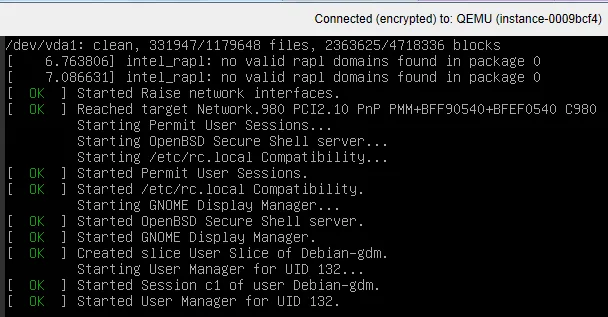
Aftre some troubleshooting and investigating the issue, I came across a solution which pointed towards the default display manager - gdm3 used in Kali Linux. This need to be replaced with lightdm. Below is the procedure followed.
- Configure network manually
ifconfig
ifconfig eth0 inet 10.190.163.238/24
route add default gw 10.190.163.1
telnet proxy.mycloud.com 8678
wget google.com- Set the APT repository for Kali
root@kali-test-16jan:~# cat /etc/apt/sources.list
deb http://http.kali.org/kali kali-rolling main contrib non-free
apt-get uppubDate:- Remove default gdm3 as Kali GUI will not be displayed in Openstack Dashboard Console
apt-get remove gdm3
(Reading database ... 306509 files and directories currently installed.)
Removing kali-desktop-gnome (2017.1.0) ...
Removing gnome-core (1:3.20+1) ...
Removing gdm3 (3.22.1-1) ...
Processing triggers for man-db (2.7.6.1-2) ...
Processing triggers for hicolor-icon-theme (0.15-1) ...

root@kali:~# dpkg -l | grep gdm3
rc  gdm3                                   3.22.1-1                             amd64        GNOME Display Manager
- Install xfce Desktop which will install lightdm
apt-get uppubDate:
apt-get install kali-defaults kali-root-login desktop-base xfce4 xfce4-places-plugin xfce4-goodies

Setting up xorg (1:7.7+18) ...
Setting up libkeybinder-3.0-0:amd64 (0.3.1-1) ...
Setting up lightdm-gtk-greeter (2.0.2-1) ...
uppubDate:-alternatives: using /usr/share/xgreeters/lightdm-gtk-greeter.desktop to provide /usr/share/xgreeters/lightdm-greeter.desktop (lightdm-greeter) in auto mode
Setting up libwnck22:amd64 (2.30.7-5.1) ...
Setting up libvte-2.91-0:amd64 (0.46.1-1) ...
Setting up libxfce4util7:amd64 (4.12.1-3) ...
Setting up lightdm (1.18.3-1) ...
Adding group `lightdm' (GID 142) ...
Done.
Adding system user `lightdm' (UID 135) ...
Adding new user `lightdm' (UID 135) with group `lightdm' ...
Creating home directory `/var/lib/lightdm' ...
usermod: no changes
usermod: no changes
usermod: no changes
Setting up libisofs6:amd64 (1.4.6-1) ...
Setting up libxfce4panel-2.0-4 (4.12.1-2) ...
Setting up xfce4-taskmanager (1.1.0-1) ...
Setting up libxfce4util-bin (4.12.1-3) ...
Setting up light-locker (1.7.0-3) ...
Setting up xfconf (4.12.1-1) ...- Enable GUI on boot for Kali Linux
systemctl set-default graphical.target- Reboot the VM, this will display the GUI on next boot.
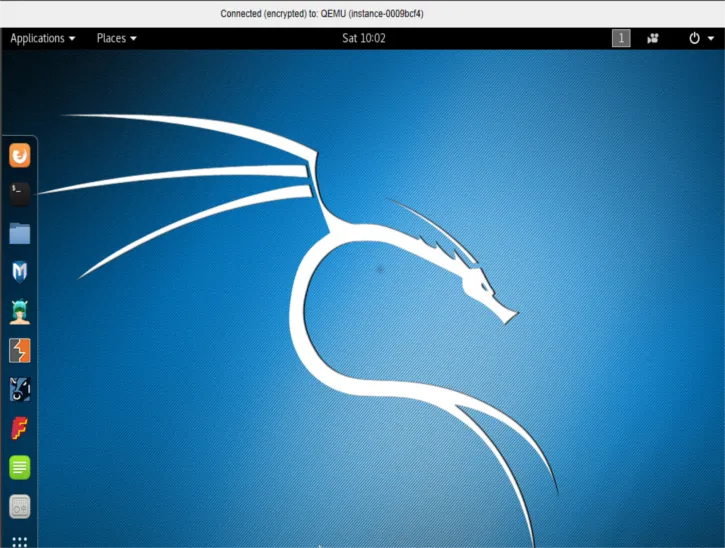
Next we need prepare the Kali Linux VM for Cloud by enabling ssh & cloud-init
- Enable ssh on Kali Linux
vi /etc/ssh/sshd_config
service ssh restart
service ssh status- Install cloud-init
apt-get install cloud-init- Reconfigure cloud-init
vi /etc/cloud/cloud.cfg
dpgk-reconfigure cloud-init
dpkg-reconfigure cloud-init
cloud-init init --local
cloud-init init
cloud-init modules --mode=config
cloud-init modules --mode=final- Cloud-int adds additional entries to sources.list, remove them as apt-get uppubDate: fails
root@kali-test-16jan:~# cat /etc/apt/sources.list
deb http://http.kali.org/kali kali-rolling main contrib non-free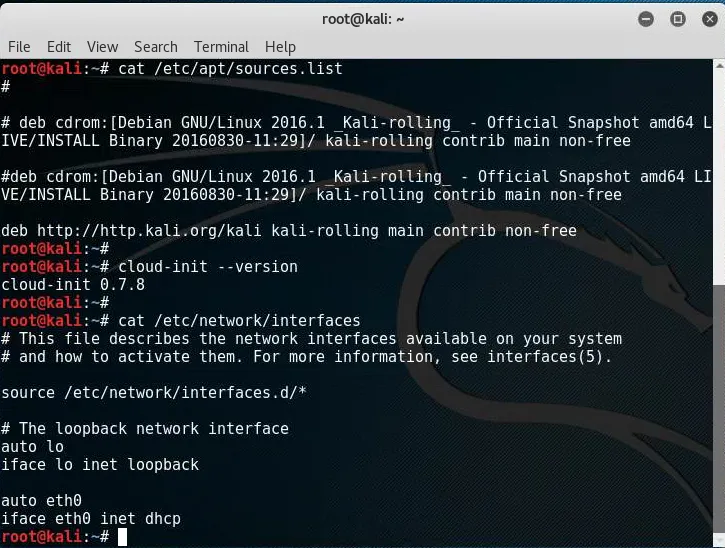
-
Copy the newly created VM image from /var/lib/libvirt/images/kalilinux.qcow2 to cloud controller
-
Convert image to raw format
qemu-img convert -f qcow2 -O raw kalilinux.qcow2 kalilinux.raw- Upload to openstack glance
glance image-create --name KaliLinux --is-public False --disk-format raw --container-format bare --file /tmp/kalilinux.raw